

If you want to connect an on-premises database to eSurfing Cloud, both the on-premises database and the DTS instance must be separately configured with a public IP address to enable connectivity over the Internet. The following parts describe the network communication mode and how to configure the DTS instance and the on-premises database.
Network Communication Mode
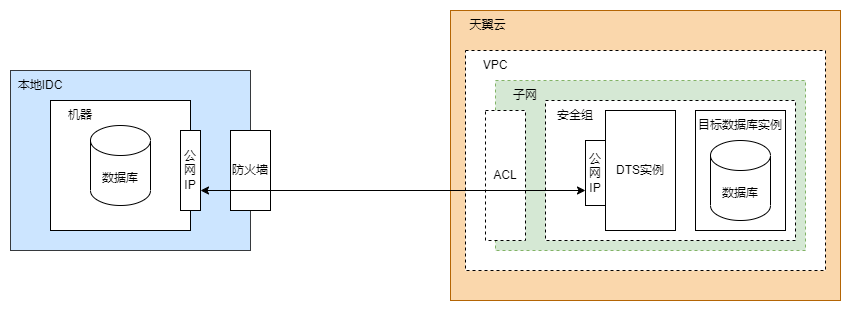
The following figure shows the network communication mode.
Configuring the DTS Instance
Purchase a public IP address.
You can directly use an available public IP address in eSurfing Cloud. If no public IP address is available, you need to purchase a public IP address to enable Internet access for the DTS instance.Configure the network type for the DTS instance.
Select Public EIP, as shown in the following figure.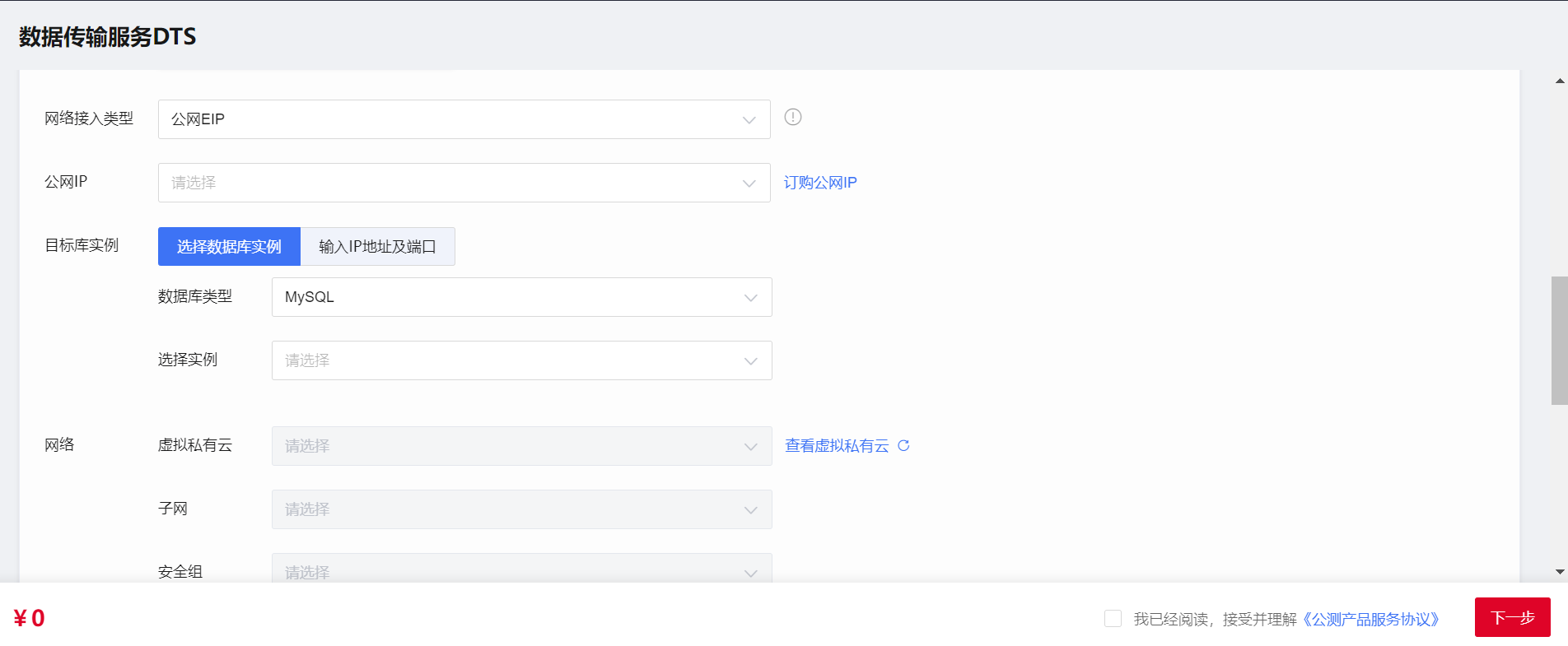
To comply with the requirements for data export control, DTS provides Public EIP access via a whitelist method. Please fulfill the following conditions:
(1) Obtain enterprise user certification on the eSurfing Cloud;
(2) Submit a service ticket to contact DTS, sign a data export security assessment agreement offline, and apply for a whitelist. You can do this by going to the "Management Center" > "Service Tickets" on our Website.
Configuring the On-premises Database
Configure the firewall of the data center where the on-premises database is deployed.
The firewall of the data center must allow access from the public IP address of the DTS instance so that the DTS instance can access the on-premises database. The specific firewall configurations are as follows:
Inbound: Allow access from the public IP address of the DTS instance to the listening port of the on-premises database.
Outbound: Allow data transfer from the listening port of the on-premises database to the public IP address of the DTS instance.Configure the IP address trustlist for the on-premises database.
You need to allow the public IP address you configured for the DTS instance to remotely access the on-premises database. The method to configure an IP address trustlist for a database may vary depending on the database type. For more information, see the relevant official database documentation.