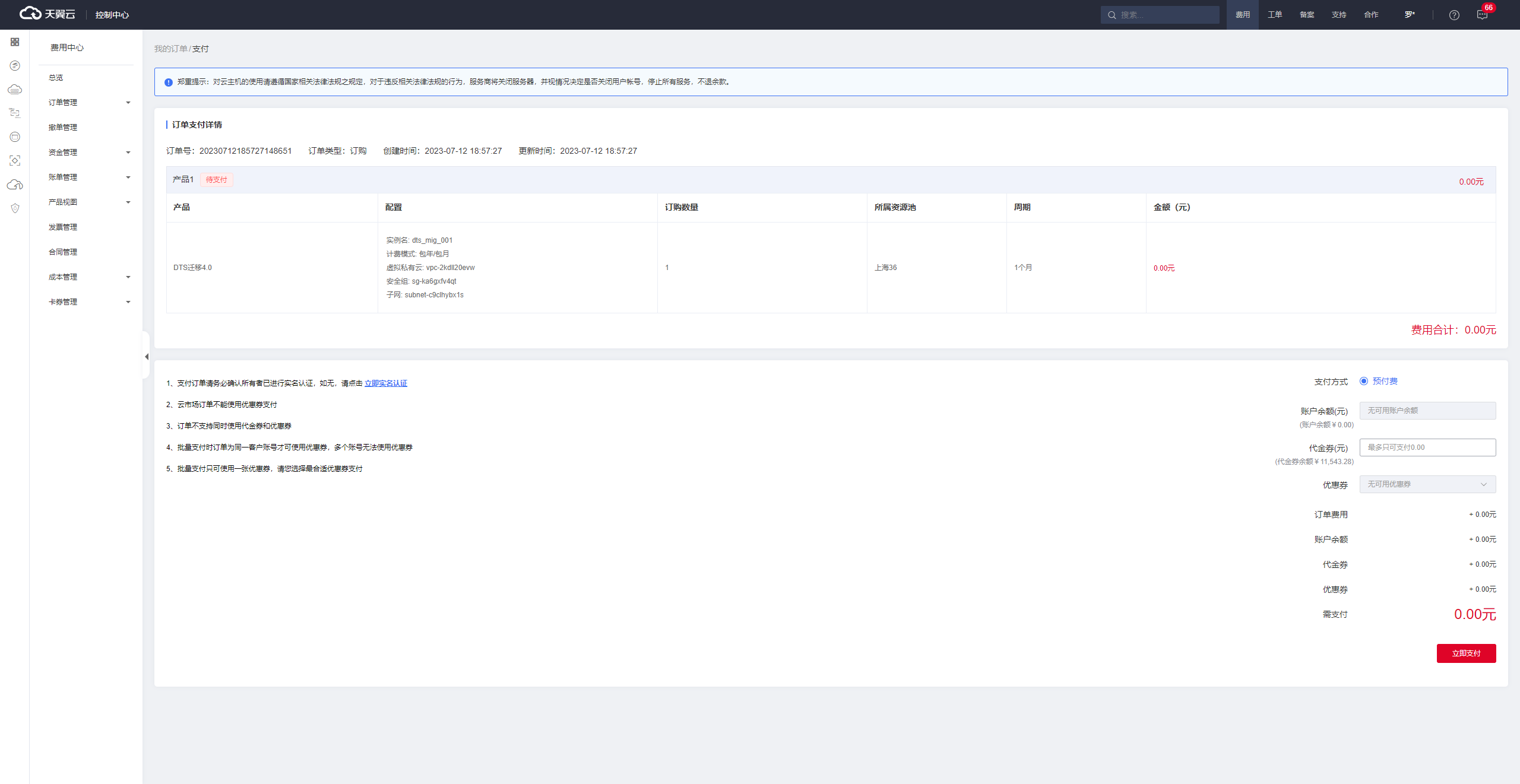
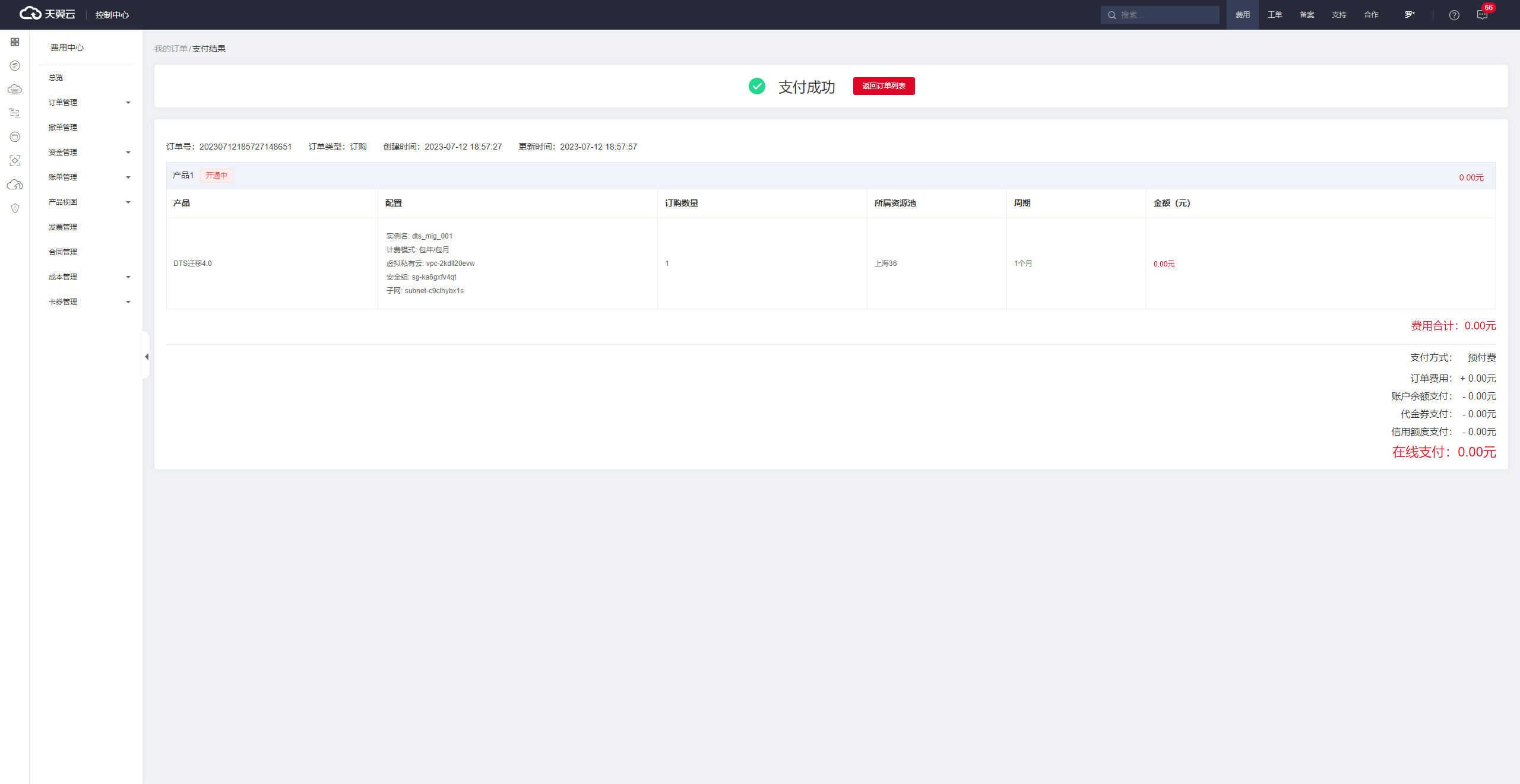
Procedure
Log in to the eSurfing Cloud Management Console.
Select the corresponding resource pool (only the Shanghai 36 resource pool is supported during the public preview) and click DTS from the service list to enter the DTS console.
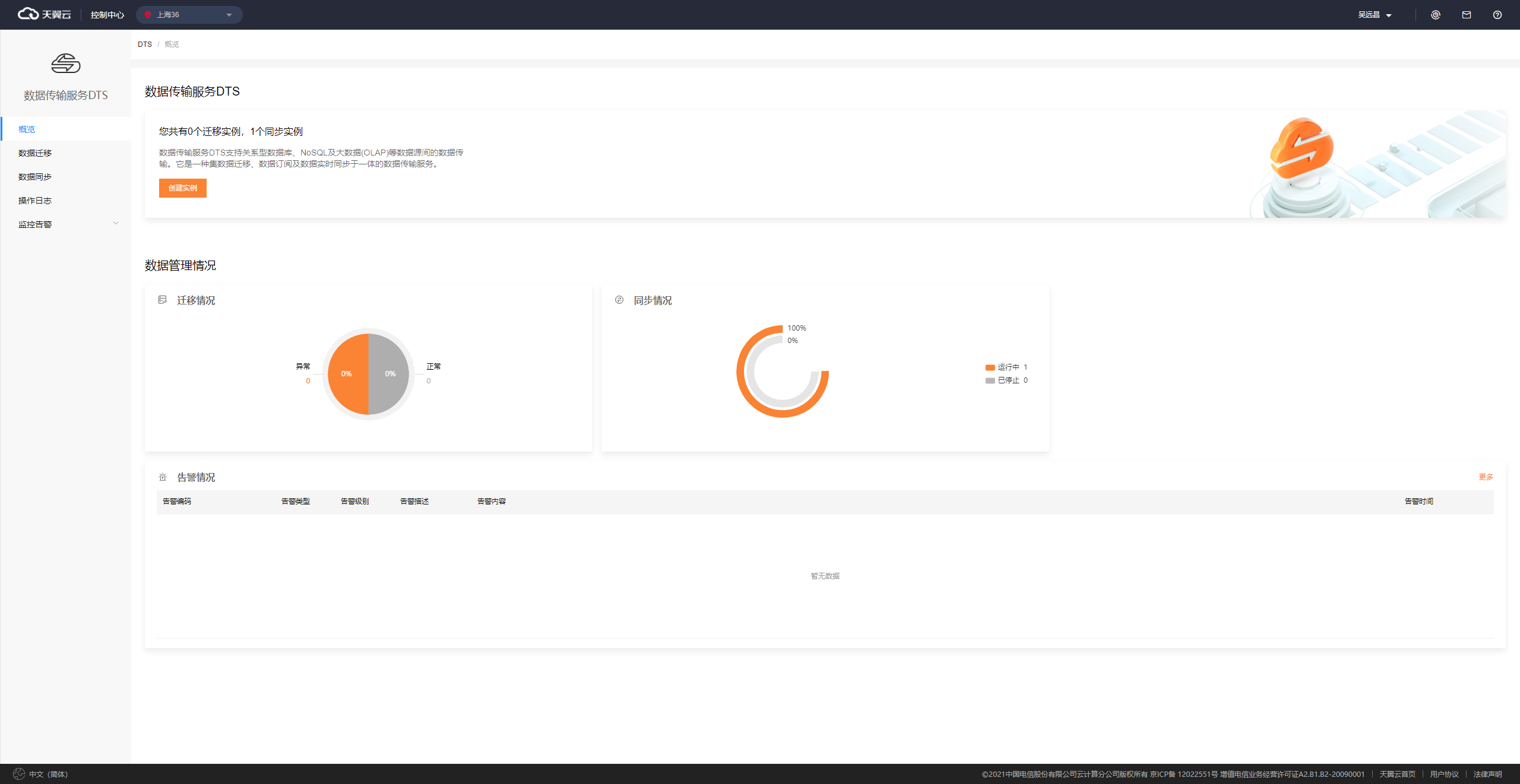
On the Overview page, click Create Instance.
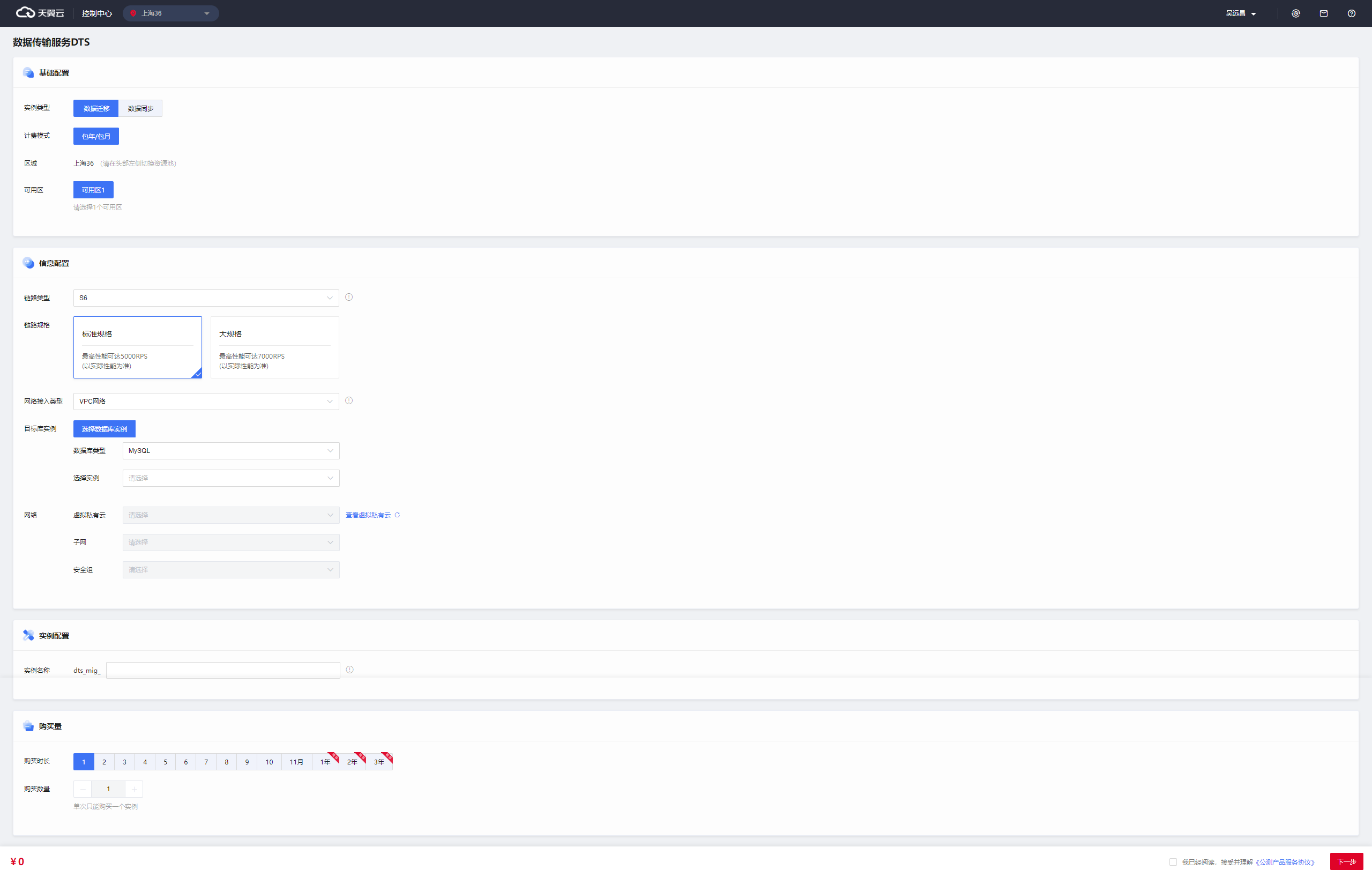
Enter the information about the instance that you want to create.
Make sure that you have created the required network resources and database resources before you create a DTS instance.
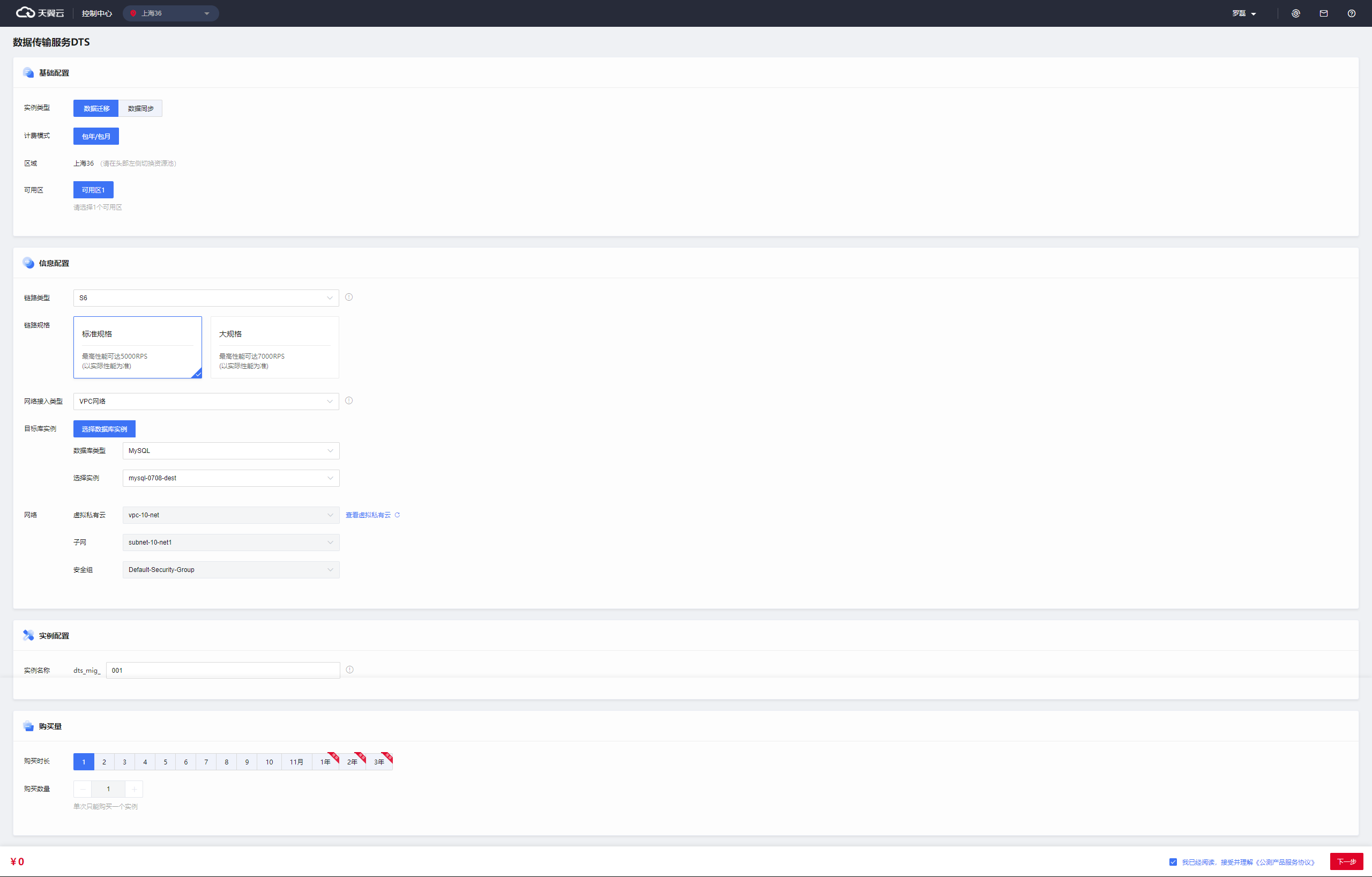
Click Next. The page for confirming the instance information appears.
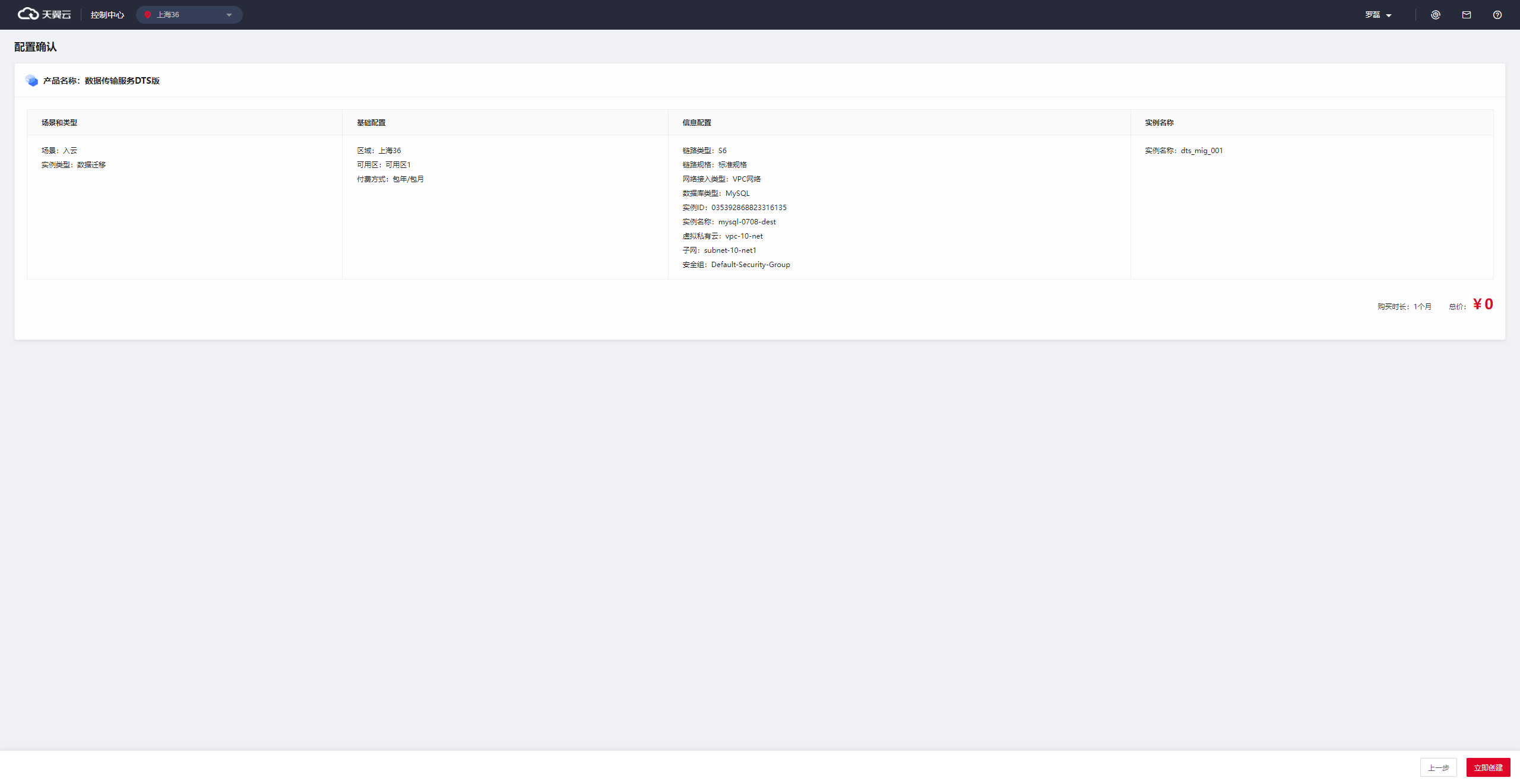
Place the order and complete the payment. After the payment is completed, the instance is in the Activating state.
Currently, DTS is in public preview and is free of charge.
The system requires a certain period of time to create the DTS instance. Please wait.