

Resources in the same resource pool but in different VPCs cannot communicate with each other by default. You must connect VPCs to enable the communication between these resources. Currently, you can create VPC peering connections to connect subnets across VPCs. Note that the subnet CIDR block for the source database instance must not conflict with that for the destination database instance.
The following parts describe the network communication mode and how to configure the DTS instance and enable inter-VPC communication through VPC peering.
Network Communication Mode
The following figure shows the network communication mode.

Configuring the DTS Instance
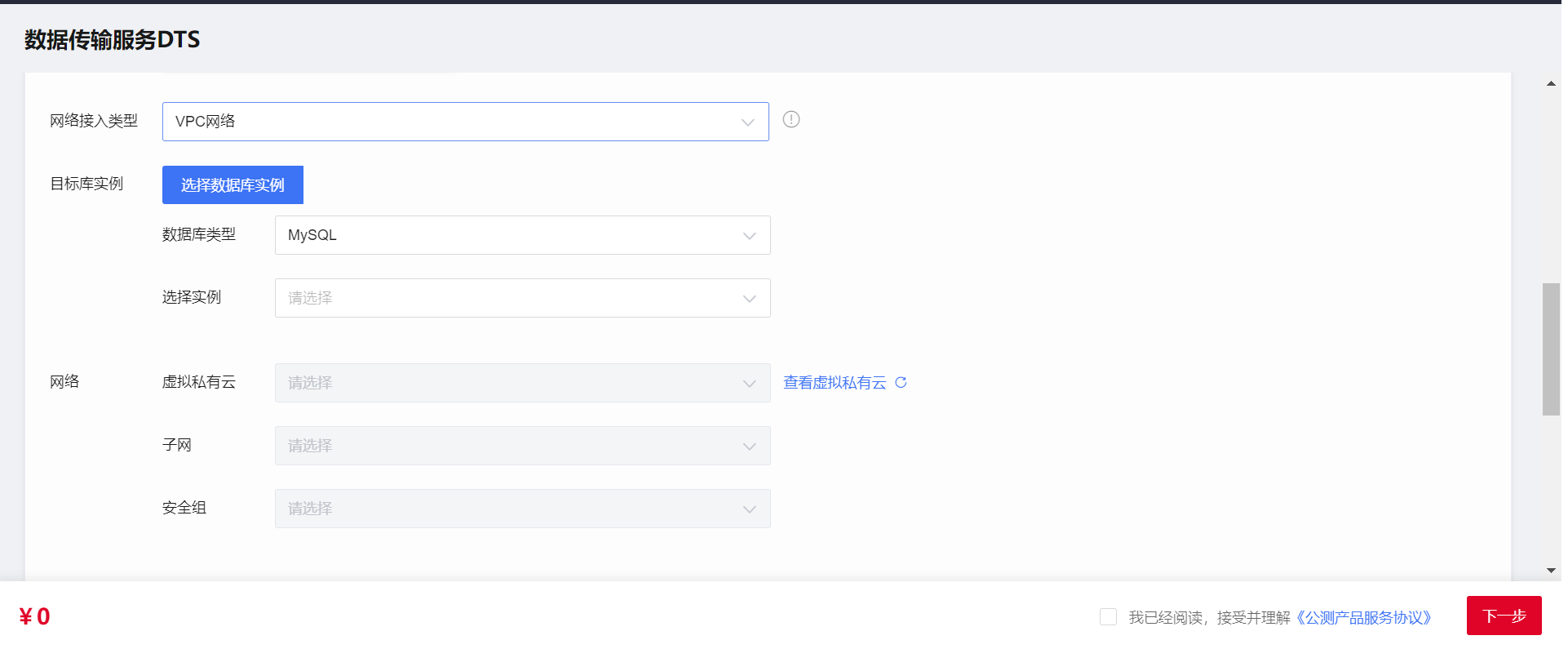
Configure the network type for the DTS instance. Select VPC, as shown in the following figure.
Enabling Inter-VPC Communication Through VPC Peering
Create a VPC peering connection.
**For more information, see relevant documentation for **eSurfing Cloud VPC Peering.
Configure network ACLs and security groups for the source and destination database instances.
For more information, see Connecting Resources in the Same VPC over the VPC Network.
Configure the IP address trustlist for the database.
You need to allow the private IP address of the DTS instance to access the source database. The method to configure an IP address trustlist for a database may vary depending on the database type. For more information, see the relevant official database documentation.