

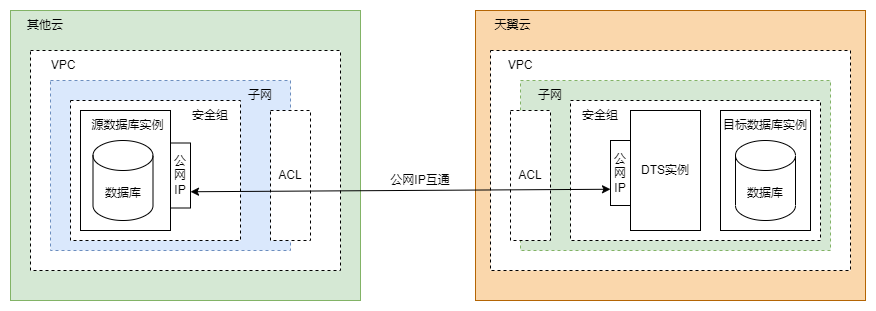
If you want to connect a database from a third-party cloud service provider to eSurfing Cloud, both the database instance and the DTS instance must be separately configured with a public IP address to enable connectivity over the Internet. The following parts describe the network communication mode and how to configure the DTS instance and the third-party cloud database instance.
Network Communication Mode
Configuring the DTS Instance
Purchase a public IP address.
You can directly use an available public IP address in eSurfing Cloud. If no public IP address is available, you need to purchase a public IP address to enable Internet access for the DTS instance.Configure the network type for the DTS instance.
Select Public EIP, as shown in the following figure.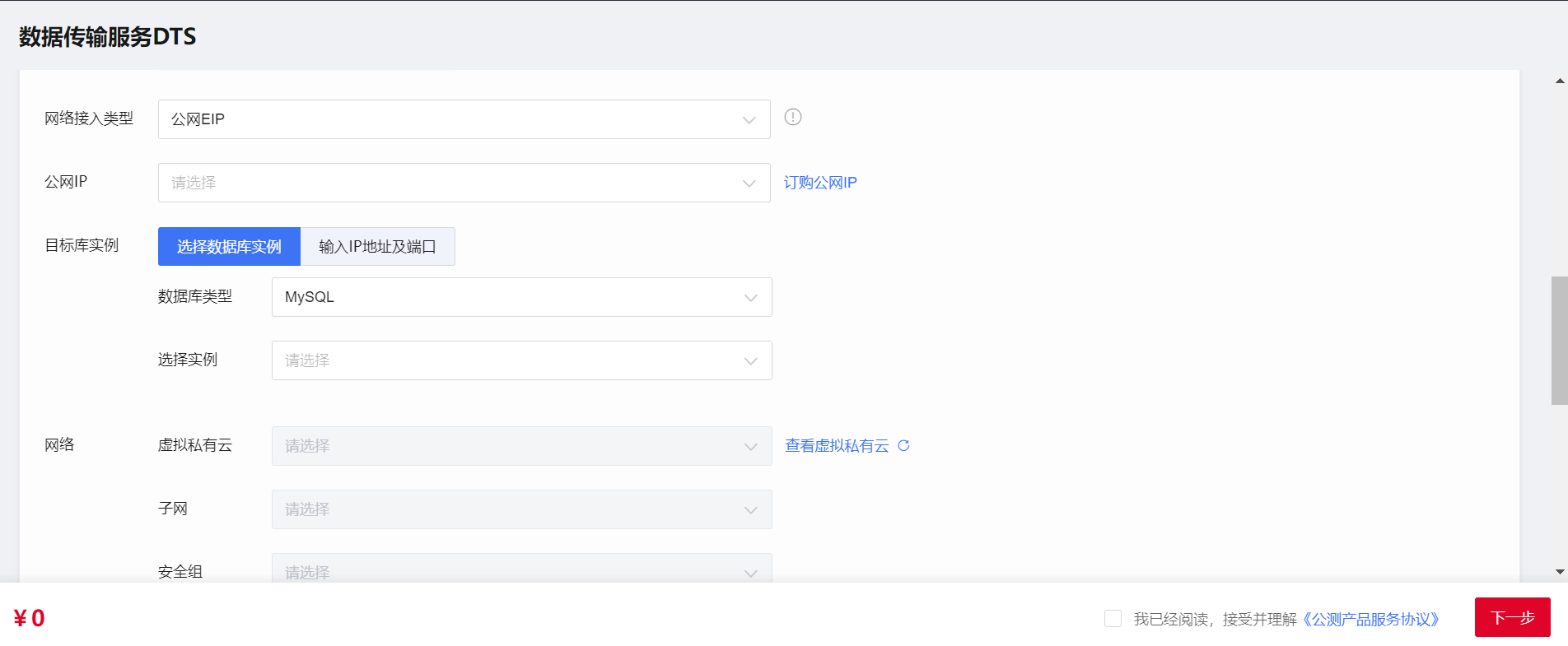
Configuring the Third-party Cloud Database Instance
Request a public IP address and bind it to the database instance.
The configuration method varies depending on the cloud vendor. For more information, see the official database documentation provided by the corresponding cloud service provider.Configure VPC security policies.
You need to allow the public IP address you configured for the DTS instance to access the VPC where the third-party cloud database instance resides. In most cases, you can modify the network ACL or configure the security group for the database instance to enable the access. For more information, see the official database documentation provided by the corresponding cloud service provider.Configure the IP address trustlist for the database.
You need to allow the public IP address you configured for the DTS instance to remotely access the database. The method to configure an IP address trustlist for a database may vary depending on the database type. For more information, see the relevant official database documentation.