

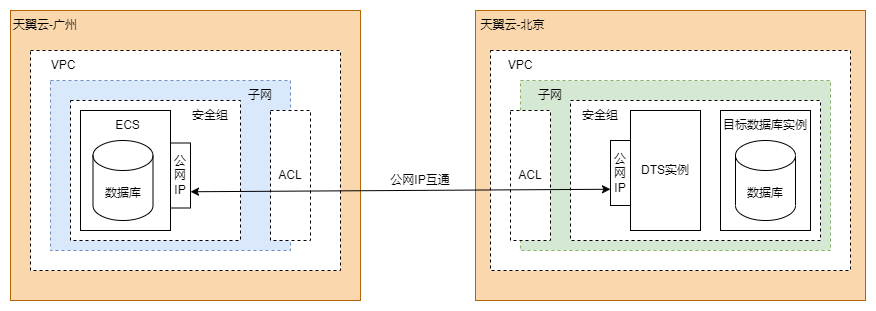
Different resource pools are located in different regions with non-interoperable networks and cannot be connected through VPC peering. Currently, resources in different resources pools can be connected over the Internet based on their public IP addresses.
The following parts describe the network communication mode and how to configure the DTS instance, bind a public IP address to the source database instance, and configure network security policies.
Network Communication Mode
The following figure shows the network communication mode.
Configuring the DTS Instance
Purchase a public IP address.
You can directly use an available public IP address in eSurfing Cloud. If no public IP address is available, you need to purchase a public IP address to enable Internet access for the DTS instance.
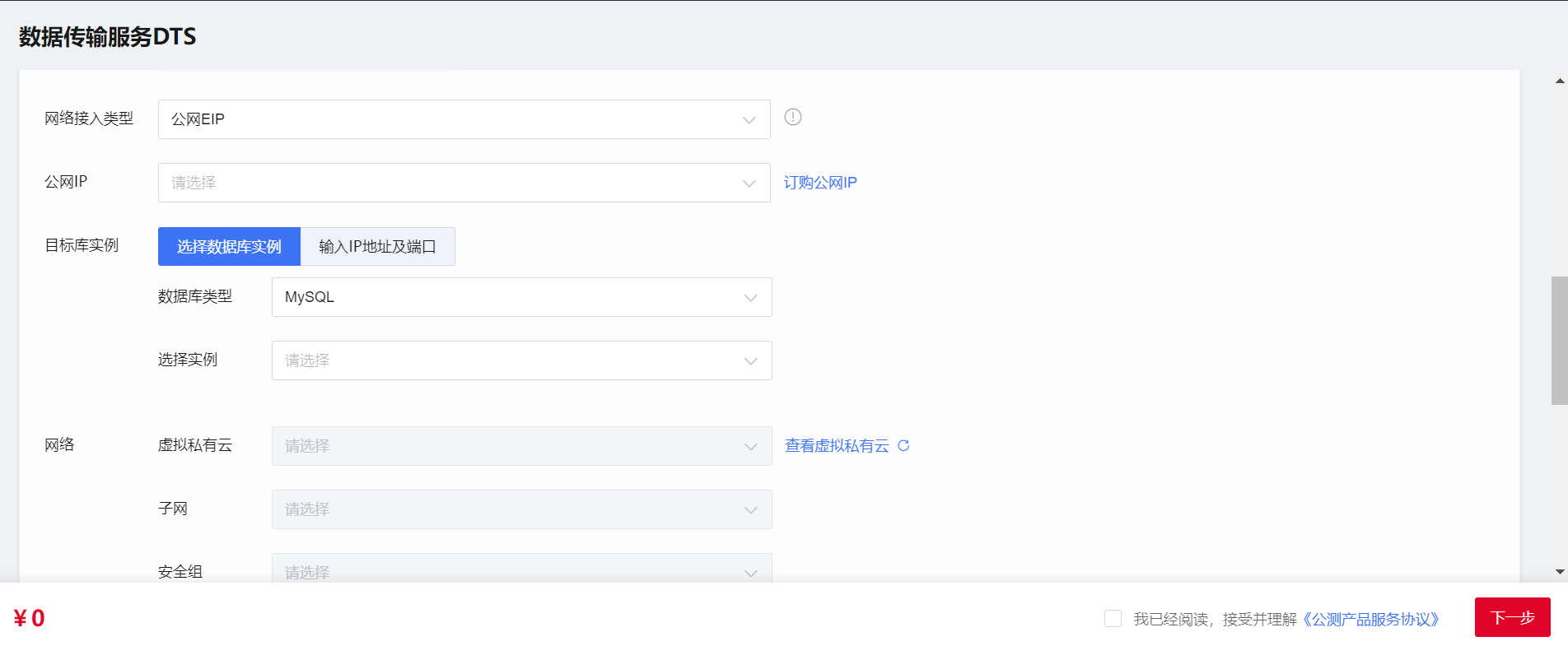
Configure the network type for the DTS instance.
Select Public EIP, as shown in the following figure.
Bind an EIP to the source database instance and configure network security policies
Request an EIP and bind it to the ECS instance.
For more information, see Binding an EIP.
Configure network ACLs and security groups for the ECS instance and the destination database instance.
For more information, see Connecting Resources in the Same VPC over the VPC Network. You need to configure rules to allow traffic from the public IP addresses of the ECS instance and DTS instance.
Configure the IP address trustlist for the database.
You need to allow the public IP address you configured for the DTS instance to remotely access the self-managed database. The method to configure an IP address trustlist for a database may vary depending on the database type. For more information, see the relevant official database documentation.